The AI Video Automation Playbook: 7 Steps to Scale Corporate Content in 2026
AI video automation is the undisputed future of digital media production, completely altering how organizations and independent creators conceive, develop, and distribute visual content in 2026.
Traditionally, creating a high-quality corporate video required an immense investment of liquid capital and time. Production teams had to purchase expensive 4k cameras, configure complex lighting rigs, hire professional on-camera talent, and spend grueling hours or days in tedious post-production editing suites.
For many businesses, these massive high barriers to entry meant that professional video was a luxury reserved exclusively for major quarterly campaigns. However, with the rapid advent of AI video automation, this paradigm has violently shifted from manual, hardware-dependent production to scalable, digital-first creation.
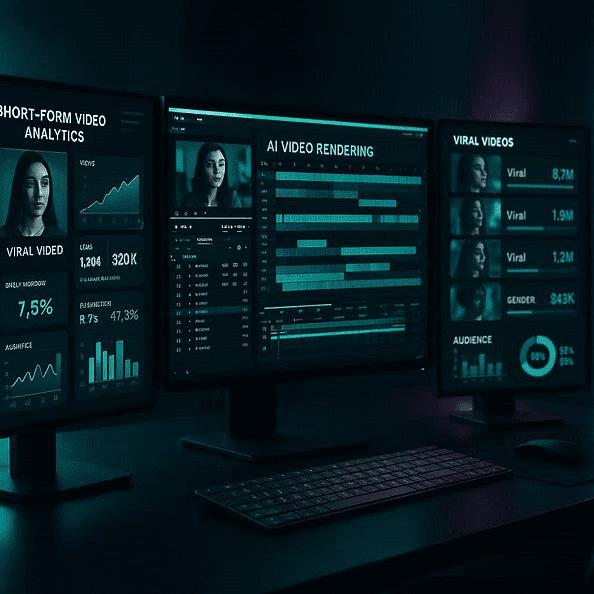
By heavily leveraging advanced machine learning algorithms, creators can now automate the absolute most time-consuming elements of video production. AI video automation platforms serve as all-in-one digital workspaces, enabling teams to generate cinematic visuals, lifelike voiceovers, and natural digital presenters using nothing more than a simple text script.
The “Quick Answer” / Key Takeaways Box
- The Paradigm Shift: AI video automation eliminates the need for expensive hardware, lighting, and physical studios, replacing them with a centralized cloud dashboard.
- Biometric Cloning: You can create a lifelike “digital twin” of yourself or your CEO from a single 2-minute video clip, allowing you to generate content forever without turning on a camera.
- Instant Localization: Advanced translation dubbing tools allow you to instantly dub your English videos into Spanish or Mandarin, complete with flawless algorithmic lip-syncing.
- Prompt-to-Video Agents: Autonomous agents handle the heavy lifting by writing the script, sourcing cinematic b-roll, generating voices, and editing the timeline from a single text prompt.
- E-Commerce Dominance: Specialized product placement tools can virtually insert your physical products into the hands of AI avatars for high-converting social media ads.
Step 1: Navigating the Centralized AI Video Automation Dashboard
The operational foundation of any successful AI video automation workflow begins with a comprehensive understanding of the centralized creation workspace. Modern platforms have aggressively consolidated what used to require five or six separate, expensive software subscriptions into a single, cohesive, digital-first destination.
This centralization represents a major financial milestone in AI video automation. Instead of paying separate monthly enterprise fees for video editing, voice cloning, text-to-speech rendering, algorithmic translation, and b-roll generation, creators can access absolutely everything under one roof.
When you first log securely into the dashboard, the interface is strategically divided into two primary zones to maximize efficiency. On the left side of the screen, you will find a clean sidebar containing the four primary creation categories.
The Four Pillars of the Workspace
- The Avatar Category: This is the biometric hub where you manage your cloned digital twins, browse public presenters, and configure dynamic talking-head scenes.
- The Video Agent Category: This is the robust prompt-to-video engine, allowing you to generate entire documentary-style videos from a simple textual description.
- The Translate Category: This is the advanced localization suite, explicitly designed to automatically dub and flawless lip-sync existing video assets into foreign languages.
- The Tools Category: This is a collection of highly structured, specialized templates, such as those for e-commerce product placements, viral short clips, and dual-host video podcasts.
On the right side of the screen, the workspace opens up entirely into the active production canvas. This is where you configure your specific project settings, adjust the exact video length, or change the aspect ratio (such as 16:9 widescreen for YouTube or 9:16 vertical for TikTok).
You also have the incredibly powerful option to add a custom knowledge base—such as uploading a comprehensive corporate PDF, a technical manual, or a company website URL—directly into the workspace. The platform can then analyze this data and feed it strictly to your digital twin to ensure the spoken script is highly accurate and factually grounded.
[EXTERNAL LINK: Industry Report on Generative AI Adoption in Corporate Marketing]
Step 2: Selecting and Cloning Custom AI Avatars
At the absolute heart of the AI video automation revolution is the unprecedented ability to deploy hyper-realistic digital presenters. An AI avatar is a digital version of a spokesperson that can speak scripts and generate videos automatically. This completely eliminates the need to record footage every single time you want to release a new piece of content.
This capability is exceptionally powerful for companies that need to maintain strict brand consistency while scaling up educational videos, course materials, or product marketing demonstrations.
There are two primary paths you can take when selecting a digital presenter within the AI video automation dashboard.
Path A: Creating a Biometric Clone of Yourself
To build a custom avatar based strictly on your own physical appearance, the software guides you through a highly sophisticated biometric cloning process. You begin by uploading or natively recording a short, high-quality video of yourself speaking naturally. A single, well-lit two-minute clip is entirely sufficient.
The advanced machine learning system then aggressively analyzes your facial movements, vocal cadences, micro-expressions, and specific lip positions. By analyzing this deep biometric data, the platform generates a high-fidelity “digital twin.”
The strategic advantage of this is massive: once the digital clone is generated, you can produce unlimited, branded videos without ever standing in front of a camera again. To make the clone look even more natural, you can securely upload multiple training videos showcasing different expressions.
Path B: Deploying Public Avatars for Targeted Niches
If you do not wish to use your own personal likeness, the platform provides an extensive catalog of pre-made public avatars tailored for specific corporate industries and demographics.
- The Corporate and Financial Presenter: These avatars are professionally dressed and stand in corporate offices or sit on sleek leather sofas. If you are building a financial advice channel or corporate HR onboarding training, a sophisticated presenter establishes immediate institutional trust.
- The Medical Spokesperson: The library includes avatars dressed strictly in doctor’s coats and clinical attire, making them absolutely perfect for medical explanation videos, pharmaceutical marketing, or healthcare education.
- The Relatable Content Creator: For social media channels, TikTok, or YouTube, you can select casual, youth-oriented models. Because their natural styling, casual attire, and realistic hand gestures make them indistinguishable from human influencers, they convert exceptionally well.
Each public avatar comes natively with multiple distinct “looks,” representing different clothing styles, camera angles (such as close-up, medium, or wide shots), and physical backdrops. This variety allows you to script your videos dynamically, keeping your audience visually engaged while maintaining consistent AI video automation standards.
[IMAGE PLACEHOLDER: A screenshot of an avatar selection screen displaying various diverse AI models in different professional settings + Alt Text: Selecting targeted digital presenters within an AI video automation dashboard.]
Step 3: Mastering Script Editing and Voice Engineering
Once you have selected your perfect presenter, the next step in the AI video automation process is to draft your script and meticulously engineer the perfect vocal profile. The built-in text-based script editor functions exactly like a standard word processor, making AI video automation as simple as writing an email.
To achieve professional-grade broadcast results, follow these critical voice engineering principles.
Conversational Drafting
The script editor is where you directly input the exact text your avatar will deliver. Because the AI synthesizes speech from written text, you must write in a highly conversational, breathable tone.
Avoid overly dense, formal paragraphs that sound like legal documents. Instead, use short sentences, natural contractions, and clear punctuation. Punctuation acts as explicit cues for the AI voice generator, dictating exactly where the voice should pause, breathe, or shift emotional intonation.
Emotional Nuance and Gestural Commands
A highly common pitfall of low-end AI video automation tools is flat, robotic delivery that instantly alienates the viewer. High-end AI video automation platforms definitively solve this by allowing you to inject emotional depth and specific physical gestures directly into the timeline script.
Within the advanced UI settings, you can select emotional parameters such as “warm and welcoming” or “intense and professional”. On premium enterprise tiers, you can even insert specific gestural commands—such as a subtle nod, a hand wave, or an expressive facial movement—at precise chronological moments in the text.
[INTERNAL LINK: The Ultimate Guide to Crafting High-Converting Soap Opera Email Sequences]
Step 4: Transforming Static Visuals with Photo-to-Video AI
For creators who want to produce engaging content without even setting up a digital twin or selecting a 3D avatar, the photo-to-video feature provides a remarkably fast alternative. This specific tool allows you to take any static image and instantly animate it into a fully articulated talking spokesperson.
This specific AI video automation workflow is incredibly straightforward and consists of three core execution phases.
Phase 1: Uploading the Visual Asset
You begin by dragging and dropping your static image into the photo-to-video canvas on the left side of the UI screen. For optimal rendering and realistic lip-syncing, the software highly recommends choosing a high-quality photo that is at least 720p resolution with a completely clear, unobstructed view of the subject’s face.
The absolute beauty of this tool is that it is not restricted to standard photographs of human beings. You can upload a hand-painted sketch, a stylized digital cartoon character, or an AI-generated portrait. The platform’s biometric facial-tracking system will scan the illustration, mathematically locate the key facial landmarks (eyes, nose, mouth), and prepare to animate them flawlessly.
Phase 2: Script Input and Vocal Pairing
Since a static image does not possess an inherent voice, you must pair it with a voice from the extensive audio library. If you have already cloned your own voice, you can securely apply it to the drawing. Alternatively, you can browse the voice library and select a pre-made vocal profile. Selecting a warm, highly emotive voice can bring a static sketch to life in a way that feels incredibly human.
Phase 3: Generating and Exporting
Once the script is locked in place and the voice is paired, you select your resolution (1080p for publication-grade output) and click “Generate”. The software will securely render the project in the cloud, dynamically animating the mouth, eyes, head tilt, and shoulders of your static portrait.
The Affiliate / Monetization Section: Scaling with Premium SaaS
Implementing AI video automation is not just a neat creative trick; it is a highly lucrative framework for building a digital marketing agency or scaling an internal corporate media department. To execute this at massive scale and maximize your revenue output, you must integrate premium Software as a Service (SaaS) tools.
Relying on basic, free tools will immediately bottleneck your agency scaling efforts. Furthermore, integrating these specific premium tools allows you to join their highly lucrative B2B affiliate programs, building a massive secondary passive income stream.
Essential SaaS Upgrades for Video Automation
To scale your operations and monetize your automated workflow efficiently, deploy the following software architecture:
- HeyGen / ElevenLabs (via Impact): While built-in voices are excellent, for documentary-style, cinematic narration without avatars, upgrading to dedicated voice generation platforms like ElevenLabs is mandatory. Their affiliate programs offer massive recurring commissions when new creators subscribe to their higher character-limit tiers.
- Enterprise Email Automation: Because AI video automation allows you to generate massive amounts of lead magnets and webinars, you need a flawless autoresponder to deliver them to your audience. Platforms like Kit (formerly ConvertKit) are the absolute gold standard. You can easily manage affiliate partnerships for Kit directly through the PartnerStack network, earning up to 30% recurring commissions.
- Premium Visual Asset Management: While AI generates the base video, you often need to run it through Canva Pro to add final, hyper-crisp vector brand logos or complex motion graphics. Upgrading to Canva Pro is non-negotiable for professional output. Apply for the Canva affiliate program via the Impact network to earn lucrative bounties.
By leveraging these specific, high-ticket SaaS tools, your AI video automation transitions from a manual hustle into a highly automated, hyper-profitable digital media empire.
Step 5: Accelerating Scale with AI Video Automation Agents
While manual scene building in AI video automation is fantastic for precise creative control, large enterprise businesses that need to produce hundreds of videos a week must rely on prompt-to-video automation. This is exactly where AI video automation agents become highly indispensable.
An AI video agent is a highly autonomous digital system that handles the entire video creation process from a single text prompt. Instead of manually choosing backdrops, writing scripts, and perfectly aligning visual assets, you simply tell the agent what kind of video you want to make.
For example, you can write: “Create a 60-second educational video explaining the basic principles of microeconomics, using a professional female avatar in an office backdrop.”
The autonomous agent then goes to work entirely behind the scenes. It coordinates several highly specialized generative AI models to build the video perfectly from scratch.
It drafts a structured, highly engaging script based on your topic. The agent utilizes advanced image models like Flux to generate high-fidelity, custom-tailored graphics. To keep the video visually dynamic, the agent uses cutting-edge video generation models like OpenAI Sora or Veo to automatically produce high-quality, relevant b-roll footage. This completely eliminates the traditional production bottlenecks of sourcing boring stock footage.
Step 6: Localizing Content Internationally with Video Translation
One of the most financially powerful strategic advantages of AI video automation is the unprecedented ability to unlock international markets instantly.
Traditionally, translating a corporate video or high-ticket online course required hiring native translators, booking foreign-language voice actors, re-recording the audio, and manually editing the timeline to match the new audio length. This grueling process made global expansion cost-prohibitive for most organizations.
Automated Video Dubbing with Flawless Lip-Sync
To translate a video today, you simply drag and drop your completed asset into the AI video automation translation dashboard. You then select your target language from over 175 different languages and dialects, including Spanish, German, French, Mandarin, and Japanese.
The AI system automatically performs three incredibly complex operations simultaneously:
- Transcription and Translation: It transcribes the spoken audio in the original video and translates the text into the target language with extreme algorithmic precision.
- Vocal Cloning: It securely analyzes the original speaker’s voice and generates a synthesized voiceover in the target language that retains the exact vocal characteristics, tone, and emotion of the original speaker.
- Automated Lip-Syncing: It actively modifies the mouth movements of the person on screen so that they perfectly align with the new translated audio syllables.
Strategic Expansion Tip: Target the Spanish market first. Spanish represents a massive, highly engaged, and largely untapped digital market for info-products. Translating your existing English library into Spanish will instantly unlock a global audience of hundreds of millions of prospective customers without adding any traditional filming or production costs.
[VIDEO PLACEHOLDER: A screen recording demonstrating an English video being seamlessly translated and lip-synced into Spanish using an AI video automation dashboard.]
Step 7: Deploying Specialized E-Commerce Tools
To further streamline hyper-specific content creation, high-performance platforms include a robust suite of highly structured, specialized tools. These templates are designed to handle specific business objectives, allowing you to bypass manual editing entirely.
Automated Product Placement for E-Commerce
Historically, creating a sleek product demo video required shipping physical samples to a creator or hiring a production crew to shoot close-up hands-on footage.
With AI video automation, this exact process is fully digitized. You upload a clear, high-quality image of your physical product (such as a water bottle, a pair of shoes, or a skincare product). You choose your target avatar and input your marketing script. The system’s advanced graphic-merging engine automatically places the product image directly into the digital presenter’s hand. The resulting video displays the avatar fluidly holding and presenting the product, making it look as though they are physically holding it in a real studio.
Instant Highlights for Social Media Growth
If you are a long-form content creator producing massive podcasts, webinars, or long tutorials, the Instant Highlights tool is absolutely essential for organic growth.
You drop a URL to your long-form video into the tool. You input specific instructions for the AI (e.g., “Extract all highlights where the host discusses camera lenses and viral video strategies”). The AI rapidly scans the footage, identifies the most engaging and viral-worthy moments, clips them into vertical 9:16 shorts, and automatically applies dynamic, stylized captions.
By integrating these seven steps into your AI video automation organizational workflow, you can successfully implement an end-to-end media system that completely eliminates the traditional constraints of physical video production. The future of high-converting content creation is digital, fully automated, and totally global.
Strategic Critique: Stress-Testing the Concept
While AI video automation is undeniably a massive paradigm shift for corporate efficiency, it is critically important to stress-test the operational framework before entirely firing your human production teams.
What are the problems with this idea that we are not seeing? The most glaring hidden problem with AI video automation is the “uncanny valley” effect and the rapid erosion of authentic brand trust. While digital clones look incredible on a smartphone screen for 10 seconds, in long-form training modules, viewers eventually notice the micro-jitters, the unnatural blinking patterns, and the slightly robotic intonation. If a company relies 100% on AI avatars for customer-facing communication, the audience will eventually feel alienated and manipulated, leading to a massive drop in brand loyalty. Furthermore, the copyright landscape regarding AI-generated b-roll is currently a legal minefield. Corporations deploying fully AI-generated ads risk sudden lawsuits from artists whose copyrighted data was scraped to train the models generating those “cinematic” background visuals.
What assumptions are we making that might not be true?
We are making the massive assumption that automated, prompt-to-video agents can completely replace the nuanced storytelling capability of a human editor. We assume the AI will “know” exactly what b-roll best emphasizes the emotional core of the script. In reality, AI agents are terrible at subtle emotional timing; they often select highly literal, boring stock footage that completely misses the subtext of the message. We are also assuming that audiences want flawless, hyper-polished video content. In 2026, social media trends heavily favor raw, messy, unedited authenticity. Over-polishing content with perfect AI avatars may actually decrease conversion rates on platforms like TikTok where “perfect” equates to “corporate spam.”
If this idea failed, what would be the most likely reason?
If a full-scale AI video automation transition fails to generate revenue for a corporation, the absolute most likely reason is content homogenization. If every competitor in an industry buys the exact same AI software and uses the exact same public avatars (e.g., “Conrad” or “Gala”), the entire market will become flooded with identical-looking videos. The company’s unique brand voice will completely vanish into a sea of artificial uniformity. The strategy fails not because the technology is broken, but because the operator used automation as a replacement for genuine creative strategy, resulting in perfectly rendered videos that absolutely no one wants to watch.